
What is Obstracts?
Obstracts turns public reporting into structured STIX 2.1 intelligence that can be searched, enriched, analysed, and added to other threat intelligence systems.
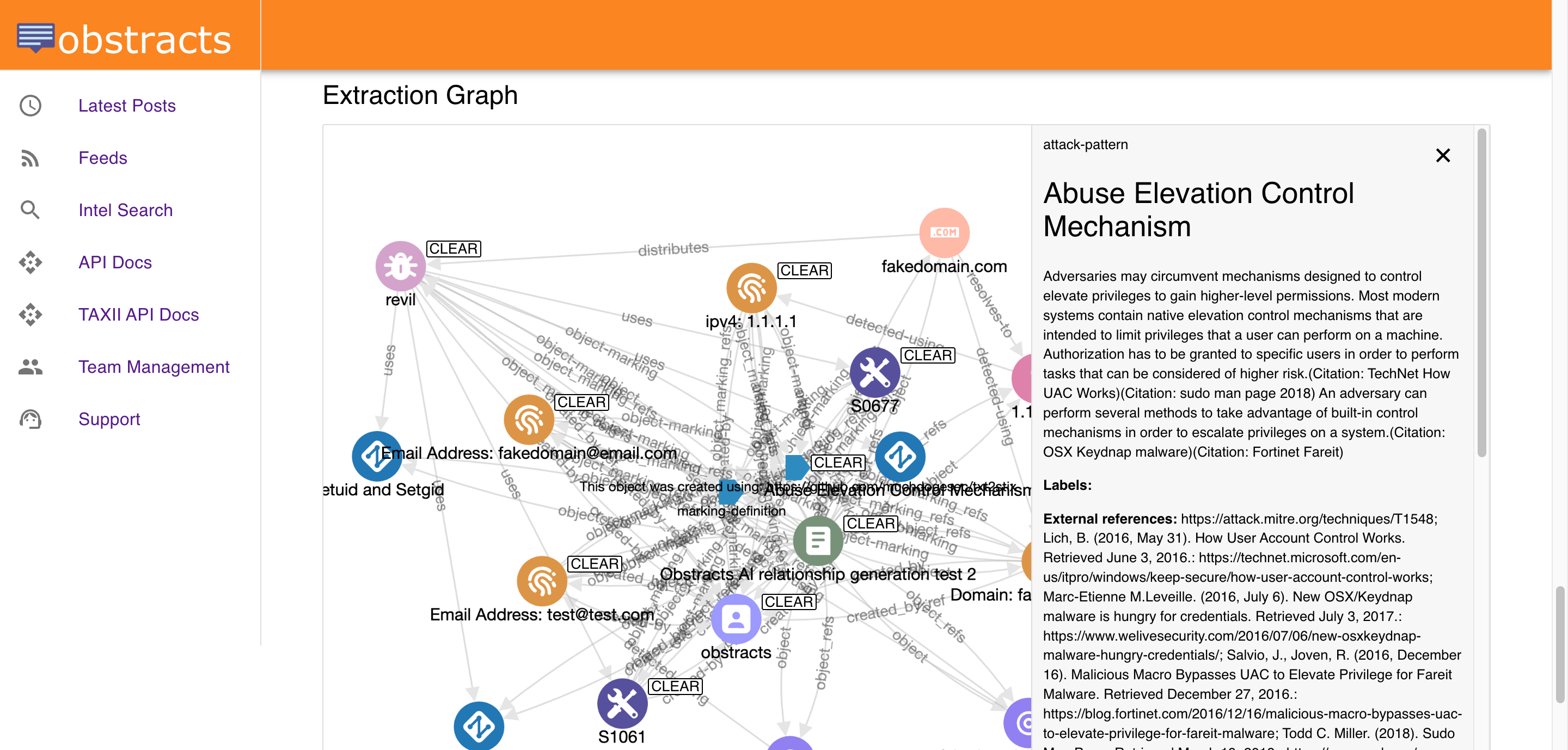
Overview
Obstracts turns public reporting into structured intelligence.
It collects security blog content from the sources a team cares about, keeps those sources updated, and extracts useful threat intelligence from the reporting. That includes indicators of compromise, ATT&CK-aligned techniques, related entities, and other connected data represented in STIX 2.1.
The result is a system that helps teams move from reading reports manually to creating structured intelligence that can be searched, enriched, correlated, and operationalised in other tools such as a TIP.
Who Obstracts is for
Obstracts is designed for teams that rely on public threat reporting as part of their workflow.
That includes:
- threat intelligence teams
- SOC teams
- threat hunters
- detection engineers
- purple teams
- security engineering teams building CTI integrations or automations
It is especially useful for organisations that already follow trusted public sources but want a better way to turn that reporting into working intelligence.
What problem Obstracts solves
Public reporting is valuable, but it is often difficult to use at scale.
Analysts usually face the same problems:
- useful reporting is spread across many sources
- important updates are easy to miss
- indicators and techniques are buried inside narrative text
- related posts are hard to compare quickly
- useful public intelligence often stays trapped in browser tabs or notes
Obstracts helps solve those problems by collecting reporting continuously and converting it into structured data that can be searched and reused.
What you can do with Obstracts
Obstracts helps teams do several things with public threat intelligence:
- monitor trusted public reporting in one place
- search extracted IoCs, TTPs, malware, actors, and related objects
- find related posts discussing the same activity
- map reporting to MITRE ATT&CK
- understand ordered adversary behaviour through Attack Flows
- enrich investigations with external intelligence
- export or share intelligence through APIs and standards-based workflows
This makes Obstracts useful both as an analyst-facing research environment and as a structured intelligence source for other tools.
How Obstracts works
At a high level, Obstracts follows a simple flow:
- Public reporting is collected from trusted sources.
- New and historical posts are made available in one place.
- Threat intelligence is extracted from the reporting.
- The extracted data is represented in STIX 2.1.
- Analysts can search, pivot, compare, and enrich from that intelligence.
- The resulting data can be moved into other systems through APIs and integrations.
This is what turns public reporting from a reading exercise into a working intelligence layer.
Standards and outputs
One of the main strengths of Obstracts is that it is built around structured intelligence, not only around reading content.
Key outputs and capabilities include:
- STIX 2.1-native structured threat intelligence
- ATT&CK-aligned technique extraction
- Attack Flow representations of adversary behaviour
- REST API access for custom tooling and automation
- TAXII API support for standards-based sharing
- integrations with platforms such as OpenCTI
This makes it easier for teams to use Obstracts to feed an existing TIP, CTI, SOC, or engineering environment.
Why teams use Obstracts
Teams use Obstracts when they want public reporting to become easier to monitor, easier to search, and easier to operationalise.
That often means:
- reducing manual analyst effort
- improving enrichment and investigation workflows
- expanding an internal intelligence graph
- improving detection and hunting context
- supporting downstream tools, automations, and AI agents with structured intelligence
In short, Obstracts helps teams get more value from the public reporting they already trust.